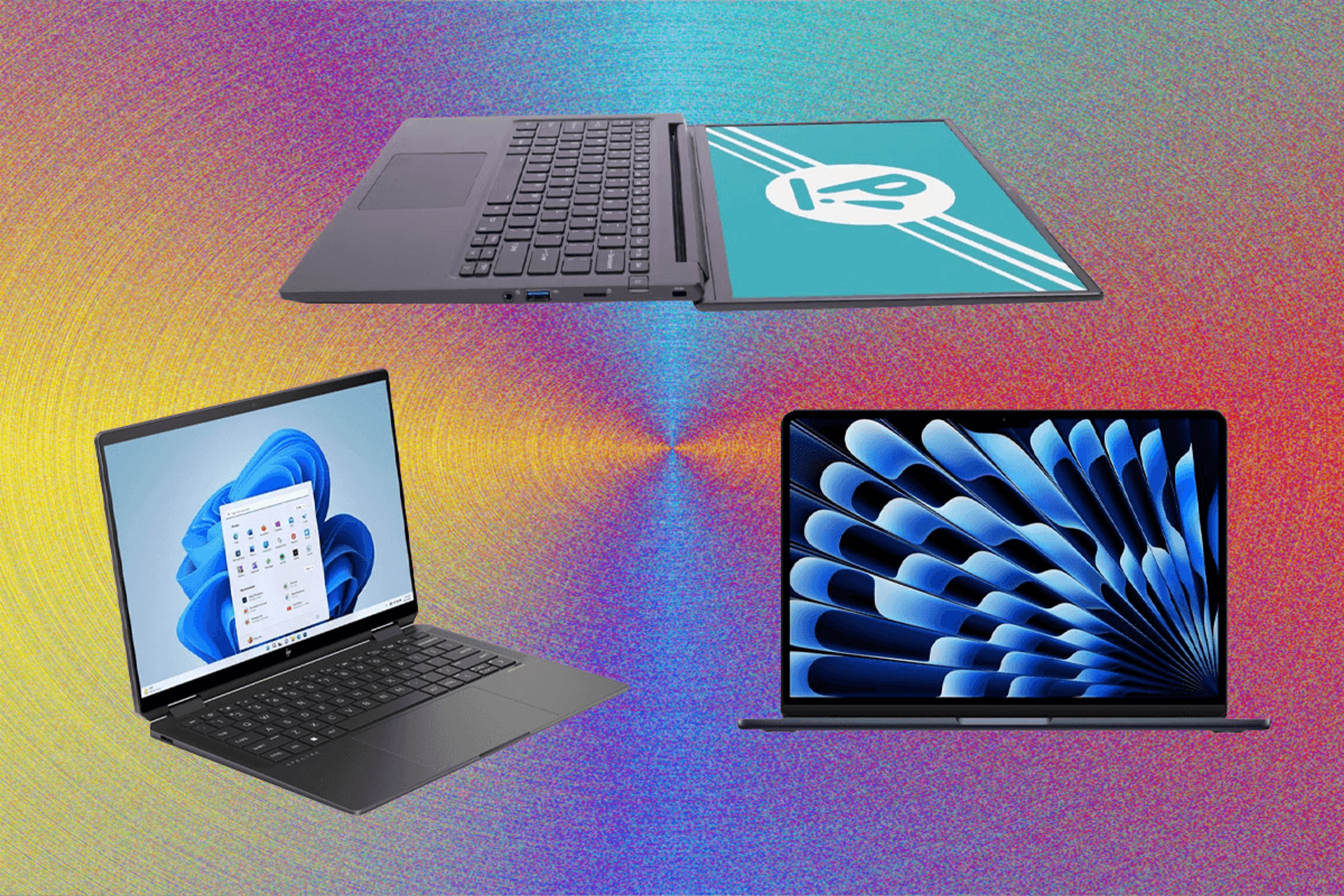

Work Laptop Specs Explained: How to Choose the Best Laptop for Office Productivity
Estimated reading time: 15 minutes
Key Takeaways
- Understanding work laptop specs is essential to choose the right laptop tailored to your professional needs.
- Key components like the best CPU for office work, adequate RAM for work laptop, and reliable battery life laptop critically impact productivity.
- Avoid low-power budget CPUs and underpowered RAM for smooth multitasking and future-proofing.
- Choosing energy-efficient hardware and quality displays reduces eye strain and maximizes battery life.
- Plan your specs based on workload tiers—light, medium, or heavy—to optimize your investment.
Table of contents
- Work Laptop Specs Explained: How to Choose the Best Laptop for Office Productivity
- Understanding Key Work Laptop Specs
- How Much RAM for Work Laptop?
- Best CPU for Office Work
- Battery Life Laptop Considerations
- Putting It All Together: Choosing the Right Work Laptop Specs
- Conclusion
- Frequently Asked Questions
Understanding Key Work Laptop Specs
To pick the right work laptop, you must understand how the main hardware specifications affect your daily professional tasks. These work laptop specs include the CPU, RAM, battery life, storage, display, and build quality.
CPU: The Heart of Performance
The CPU (Central Processing Unit) is the processor that executes instructions and dictates how quickly your laptop handles tasks. For office work, the CPU affects the speed of running spreadsheets, responding to emails, and managing video calls without lag.
- Modern multi-core processors like Intel Core i5/i7 and AMD Ryzen 5/7 balance strong performance and efficient power use. Learn more
- Multi-core CPUs allow smoother multitasking and faster data processing.
- Choosing the best CPU for office work ensures apps run smoothly, preventing frustrating slowdowns during meetings or document handling.
RAM: Multitasking Memory
RAM (Random Access Memory) temporarily stores active data so your laptop can quickly access running applications.
- Adequate RAM is essential for smooth multitasking—switching between multiple apps without freezing or lag. Source
- Insufficient RAM causes slowdowns, especially when you keep many browser tabs, documents, or video calls running simultaneously.
- How much RAM you need depends on your workload, but most office tasks benefit from at least 16GB.
Battery Life: Staying Productive On the Move
A laptop’s battery life is critical if you work unplugged or travel frequently.
- Aim for battery life laptop specifications offering 8–12 hours of operation for all-day productivity.
- Long battery life supports remote work, meetings away from outlets, and travel without interruptions.
Storage: Fast and Spacious Drives
Storage holds your files, programs, and operating system.
- SSDs (Solid State Drives), especially NVMe SSDs, provide rapid boot times and quick application loading.
- At least 512GB SSD storage is recommended for office productivity to house documents, spreadsheets, and software.
Display: Comfort and Clarity for Long Hours
Your laptop screen quality affects your visual comfort and effectiveness during extended use.
- Look for IPS or OLED panels that reduce eye strain with better color and viewing angles.
- Full HD (FHD) or Quad HD (QHD) resolutions offer sharp, clear text and images.
- Brightness of 300+ nits and a matte finish help reduce reflections and eye fatigue.
- A 14–15 inch screen size balances portability and workspace effectively.
Build Quality: Durability and Usability
Strong build quality means your laptop can withstand travel and daily wear.
- Look for a comfortable keyboard for long typing sessions.
- A good webcam and microphone are essential for clear video calls. More info
- Useful ports like USB-C and HDMI let you connect to various devices.
- Support for the latest Wi-Fi standards (Wi-Fi 6E) ensures speedy and stable internet.
Summary: Each of these work laptop specs directly impacts how well your laptop performs day-to-day office tasks, from handling complex documents to participating in video conferences.
Sources:
Standesk Laptop Buying Guide |
Penn ISC Notebook Purchasing Guide |
Newegg 2026 Laptop Buying Guide |
Tom’s Guide Best Laptops 2026
How Much RAM for Work Laptop?
RAM plays a crucial role in your laptop’s ability to handle multitasking efficiently. It stores active data so your system can quickly switch between running applications without delays.
Recommended RAM Amounts by Workload
- 8GB RAM
Suitable only for basic tasks: light email, web browsing, and simple document editing.
Becoming increasingly outdated and limiting as apps demand more memory.
Less future-proof for new software and multitasking needs in 2026 and beyond. - 16GB RAM
Ideal for most office users who multitask moderately.
Handles video conferencing, medium-size spreadsheets, and multiple applications smoothly.
A strong balance between cost and performance for typical professional workflows. - 24–32GB+ RAM
For power users like data analysts or creatives who run many demanding applications side-by-side (e.g., data analysis tools, Adobe Creative Suite).
Many laptops have RAM soldered to the motherboard, so future upgrades aren’t possible—invest upfront to match your projected needs.
Why Prioritize 16GB or More?
For most modern office environments, 16GB RAM strikes the right balance: enough for excellent multitasking without overspending. Investing in RAM ensures your laptop remains responsive and productive for several years.
Sources:
Standesk Laptop Buying Guide |
Penn ISC Notebook Purchasing Guide |
Newegg 2026 Laptop Buying Guide |
YouTube RAM Explanation
Best CPU for Office Work
The CPU is the laptop’s processor responsible for carrying out instructions and determining speed and responsiveness. Choosing the best CPU for office work means selecting a chip that handles your everyday tasks efficiently, without excessive power consumption.
Modern Multi-Core CPUs
Newer CPUs combine performance cores with efficiency cores. This hybrid architecture balances raw power and battery consumption, ensuring laptops don’t throttle performance during long workdays.
Popular CPU Choices for 2026 Office Laptops
- Intel Core i5 (13th–15th Gen) and i7
The i5 shines for basic to medium office workloads.
The i7 is better for heavier multitasking, data analysis, and demanding applications.
Choose CPUs with six or more cores for smoother multitasking and future-proofing. - AMD Ryzen 5/7 (5000–7000 Series)
Comparable performance and better price-to-efficiency ratio than Intel in many cases.
Lower power consumption can extend battery life. - Apple M3/M4 Chips
Leading choice for macOS users.
Exceptional battery efficiency and strong performance for office productivity. Learn more
Avoid Low-Power N-Series Processors
Budget laptops often use low-power “N-series” CPUs that deliver poor performance and frequent lag under load. For office productivity, avoid these to maintain smooth workflows.
CPU Comparison Table for Office Work
CPU Type
Best For
Performance Notes
Power Efficiency
Intel Core i5/Ultra (6+ cores)
Basic to medium office
Responsive for documents and multitasking
Good
Intel Core i7
Heavy office work
Faster execution for demanding tasks
Balanced
AMD Ryzen 5/7
Value-oriented office
Matches Intel performance, often lower cost
Excellent
Apple M3/M4
macOS users
Best battery life and smooth performance
Best
Selecting a recent generation CPU ensures you benefit from improved speeds, power efficiency, and support for modern features.
Sources:
Standesk Laptop Buying Guide |
Penn ISC Notebook Purchasing Guide |
Newegg 2026 Laptop Buying Guide |
Tom’s Guide Best Laptops 2026
Battery Life Laptop Considerations
For mobile professionals, battery life laptop performance is critical. Working unplugged during meetings, travel, or remote settings means your laptop must last through the day.
Factors Affecting Battery Life
- Battery Capacity
Larger battery cells (50Wh or more) typically provide longer runtime. - Energy-Efficient CPUs and Displays
Low-power processors like Intel Ultra series, AMD Ryzen, and Apple M-series extend battery life.
IPS or OLED displays with adaptive brightness adjust screen output to save energy. - Other Tech Optimizations
Faster Wi-Fi 6E reduces power usage during internet connectivity.
Optimized operating systems (Windows 11 24H2+, macOS Tahoe) and software enhance energy management. More details
Typical Battery Life Expectations
- Most work laptops offer 8–12 hours of mixed-use battery life (combining browsing, documents, calls).
- Ultraportable models such as the MacBook Air M4 or Dell XPS 13 can exceed 15 hours, ideal for heavy mobile usage.
Mobility Tips
If your work involves frequent travel or remote meetings, prioritize laptops with excellent battery life to avoid mid-day shutdowns.
Sources:
Standesk Laptop Buying Guide |
Tom’s Guide Best Laptops 2026 |
Penn ISC Notebook Purchasing Guide
Putting It All Together: Choosing the Right Work Laptop Specs
Selecting the best laptop comes down to balancing your workload demands with budget and essential work laptop specs. Here’s a tiered guide for various professional needs:
Light Work ($500–$800)
- CPU: Intel Core i5 or Ryzen 5 (4–6 cores)
- RAM: 16GB minimum
- Storage: 512GB SSD
- Battery: 8+ hours
- Display: 14″ Full HD IPS, ~300 nits brightness
Medium Work ($800–$1500)
- CPU: Intel Core i7/Ultra or Ryzen 7 (6+ cores)
- RAM: 24–32GB
- Storage: 512GB to 1TB SSD
- Battery: 10–12 hours
- Display: 14–15″ QHD OLED panel
Heavy Work ($1500+)
- CPU: Intel Core i7/i9, Ryzen 7/9, or Apple M4 Pro
- RAM: 32GB+
- Storage: 1TB SSD
- Battery: 12+ hours
- Display: High-resolution, color-accurate panels
Additional Tips
- Always prioritize at least 16GB RAM and SSD storage for a responsive experience.
- Opt for energy-efficient CPUs to maximize battery life while cost-effective. Read more
- Check if RAM and storage are upgradeable to extend your laptop’s useful life.
- Consider the ports and connectivity to future-proof usability. Details here
- Match specs realistically to your workload to avoid overspending on unused power.
Sources:
Standesk Laptop Buying Guide |
Penn ISC Notebook Purchasing Guide |
Newegg 2026 Laptop Buying Guide |
YouTube RAM Explanation
Conclusion
Understanding work laptop specs before buying ensures you invest in a device tailored to your professional demands, maximizing productivity and minimizing frustration. Assess your workflow type—light, medium, or heavy—and use the discussed CPU, RAM, storage, display, and battery life laptop benchmarks as a clear guide.
A balanced choice combining a capable best CPU for office work, sufficient memory, and reliable battery life delivers the best office laptop experience. Make informed decisions to avoid underperformance or overspending on unnecessary features.
Sources:
Standesk Laptop Buying Guide |
Newegg 2026 Laptop Buying Guide
With this comprehensive understanding of work laptop specs, you can confidently pick the right laptop to boost your office productivity and enjoy seamless performance every workday.
Frequently Asked Questions
What is the minimum RAM recommended for work laptops?
At least 16GB RAM is recommended for smooth multitasking in most office environments. Less than that may cause lag when running multiple apps or browser tabs.
Which CPU is best for office work?
For office productivity, modern Intel Core i5/i7 (13th–15th Gen), AMD Ryzen 5/7 (5000–7000 Series), or Apple M3/M4 chips offer excellent balance between performance and energy efficiency.
How long should battery life last for work laptops?
Look for at least 8–12 hours of battery life to cover a full workday unplugged, with ultraportables reaching 15+ hours for heavy mobile users.
Are top-tier specs necessary for all office users?
No. Light users may only need mid-range CPUs and 16GB RAM, while power users handling complex tasks benefit from 24–32GB+ RAM and high-end processors. Choose based on workload.
Can I upgrade RAM and storage later?
Many laptops allow upgrades, but some have soldered components. Check product specs carefully to future-proof your purchase.