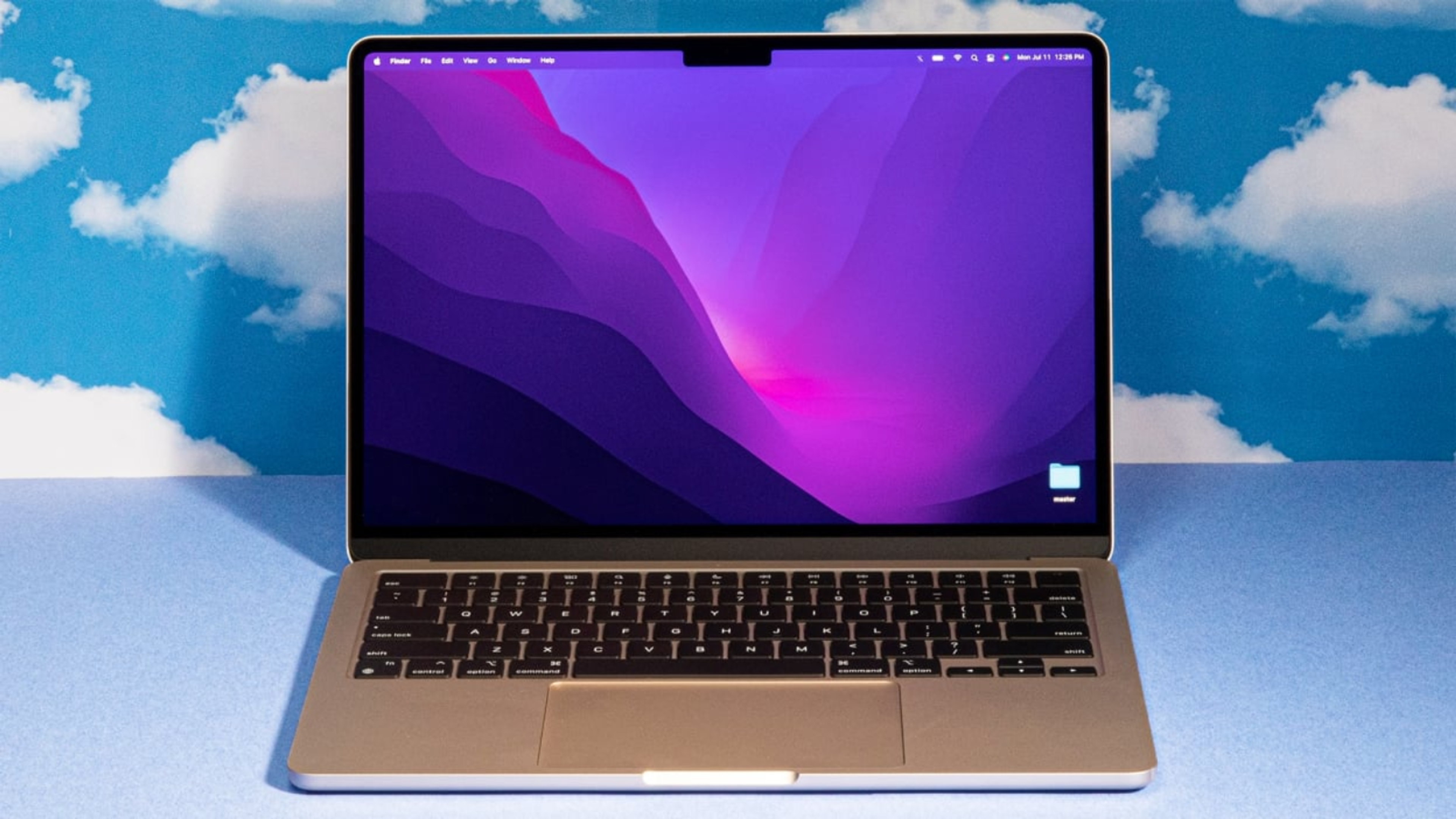

Best Laptops for Work 2025: Top Business Laptop Recommendations Including Models Under $1000
Estimated reading time: 12 minutes
Key Takeaways
- In 2025, the best laptops for work balance performance, portability, and durability for professionals.
- Choosing the right office laptop involves prioritizing processors, battery life, and security features.
- There are quality business laptop recommendations across various price points, including powerful work laptops under 1000 dollars.
- Role-specific needs vary — developers want high RAM and CPU power, salespeople value portability, while executives prioritize premium build and security.
- Budget-friendly laptops still offer solid specs for everyday office tasks without compromising essential functions.
Table of contents
- Overview: What Makes a Great Work Laptop in 2025
- Top Business Laptop Recommendations for 2025
- Best Work Laptops Under $1000
- How to Choose the Right Office Laptop for Your Needs
- Conclusion
- Frequently Asked Questions
Overview: What Makes a Great Work Laptop in 2025
When choosing the best laptops for work 2025, several critical features define an ideal office laptop:
Key Features of a Top Work Laptop
- High-performance processors: The latest Intel Core Ultra series or Apple M-series chips enable smooth multitasking and fast responsiveness. These CPUs handle everything from spreadsheets to complex presentations with ease. For a deeper dive into processor comparisons and trends in chip technology, see our detailed article on semiconductor trends.
- Long battery life: To support all-day productivity without being tethered to outlets, a minimum of 12 hours battery endurance is crucial.
- Lightweight and portable design: Professionals on the move need laptops under 3.5 pounds to maximize mobility and reduce fatigue.
- Enhanced security: Built-in fingerprint scanners, TPM (Trusted Platform Module) chips, and biometric protections secure sensitive business data. For broader coverage of security trends, check out our piece on top cybersecurity trends to watch in 2025.
- High-resolution displays: Clear, crisp screens with high pixel density reduce eye strain and make detailed work easier, especially during long hours.
Role-Specific Laptop Needs
The right laptop depends on job function:
- Developers require 16GB or more RAM combined with strong CPUs to run coding environments and virtual machines effectively. For insights into how DevOps and modern software delivery require optimized hardware, see DevOps best practices.
- Sales professionals prioritize portability, favoring sleek, ultra-lightweight models they can carry between meetings.
- Executives and managers often seek premium builds with durable chassis and robust security features, such as Lenovo’s ThinkPad lineup, known for business-grade reliability.
For a deep dive into specs and role-specific requirements, check out these reviews by LaptopMag (best laptop under $1000), Rtings’ business laptop guide (Rtings business review), and a YouTube summary on work laptops (YouTube review).
Top Business Laptop Recommendations for 2025
Below is a carefully curated list of best laptops for work 2025, blending dependable performance, value, and portability. These models meet a wide range of professional needs:
Model
Key Specs
Pros
Cons
Lenovo ThinkPad X9 15 Aura Edition (2025)
15″ display, Intel Core Ultra, 16GB+ RAM, 512GB+ SSD
Exceptional battery life, premium build quality, powerful multitasking for demanding users. Source
Price point is relatively high, may be out of budget for some.
Apple MacBook Air 13-inch M4
13″ Retina display, Apple M4 chip, 16GB RAM, 512GB SSD, ~20hr battery
Extremely lightweight (2.7 lbs), excellent keyboard and display, top-tier performance with energy efficiency. Sources, YouTube
Runs macOS which may limit compatibility with certain Windows-only business applications.
Lenovo ThinkPad E14 Gen 5
14″ display, Intel Core i7, 16GB RAM, 512GB SSD
Sleek and portable, reliable for business productivity, good value for Windows users. Source
Keyboard lacks the premium feel of higher-end ThinkPads like the X1 series.
Acer Swift Go 14
14″ OLED display, Intel Core Ultra, 16GB RAM, 1TB SSD, all-day battery life
Combines speed and portability at a lower price, bright OLED panel enhances visuals. Sources, YouTube
Business-grade security features are limited compared to ThinkPads.
HP Zbook or EliteBook G8 series
14-17″ displays, Intel i7 CPU, 32-64GB RAM, 512GB-1TB SSD
High RAM and storage ideal for demanding professional workloads, durable build quality. Sources, YouTube
Uses older generation CPUs, lacking newest AI acceleration features.
These machines cover the spectrum from premium flagship models to versatile midrange performers tailored for varied business tasks. For a full business view and additional comparison, visit LaptopMountain’s curated collection here: best business laptops under 1000.
Best Work Laptops Under $1000
For budget-conscious professionals, work laptops under 1000 dollars still deliver solid specs to handle everyday office software, browsing, and multitasking efficiently.
Common Specs in This Price Segment
- 11th-generation Intel Core i5 or i7 processors.
- 16GB or more RAM.
- 512GB SSD storage.
- 14-15 inch display sizes.
While these laptops may lack the latest generation AI chips or OLED displays found in pricier models, they usually cover 80-90% of typical office software performance. For a detailed explanation of choosing specs like how much RAM and CPU you need, see work laptop specs explained.
Model
Price
Key Specs
Pros
Cons
Lenovo ThinkPad E15/T14
~$499
14-15.6″, Intel i7-10610U/10510U, 32GB RAM, 512GB SSD
High business durability, strong multitasking comparable to $1500+ laptops. Source
Battery life shorter (~8-10 hrs) than premium models like MacBook Air’s 20hrs. Source
HP EliteBook 840 G8
~$599
14″, i7-1165G7, 32GB RAM, 512GB SSD
Secure, portable, strong CPU/RAM for price point. Source
Bulkier design detracts from ultra-portability.
Dell Latitude 5420/3520
$599-$699
14-15.6″, i7-1185G7/i5-1135G7, 32-64GB RAM, 512GB-1TB SSD
Touchscreen option, ample storage capacity, solid build. Source
Older CPUs lack latest AI features compared to Core Ultra. Source
Lenovo Yoga Slim 7i / HP OmniBook X Flip
$429-$999
14-15.3″ touchscreen, Ryzen AI or Intel Lunar Lake, 16GB RAM, 1TB SSD
Modern efficiency; OLED and 120Hz display options improve visual comfort. Source
Less rugged/durable compared to ThinkPad series.
Acer Swift 16 AI
~$650 (sale price)
16″, Intel Core Ultra, 16GB RAM, 1TB SSD, 2.5K display
Excellent value for display quality and storage; competes with more expensive workstations. Source
Features geared more towards gaming siblings; business features are fewer.
These budget laptops ensure you get strong performance for Microsoft Office, email, and basic multitasking without stretching your budget. See LaptopMountain’s list for more on affordable work laptops under 1000: affordable business laptops.
How to Choose the Right Office Laptop for Your Needs
Selecting the perfect office laptop involves matching hardware features to your specific work demands and preferences. Consider the following factors carefully:
Key Considerations When Choosing a Business Laptop
- Software Compatibility: Windows remains the dominant OS for enterprise tools and business software. macOS excels in creative industries but may limit Windows-dependent applications.
- Portability: If you travel frequently, prioritize laptops under 3 pounds with slim profiles. Heavier models from premium business lines suit desk-centric roles. For insights on evolving workplace technology and remote/hybrid work setups, see future of work trends 2025.
- Warranty and Support: Business laptops with 3+ year warranties and solid customer service help protect your investment. Lenovo ThinkPads often excel in this.
- Upgradeability: Check if the model allows RAM and SSD upgrades. Future-proofing extends laptop lifespan and improves performance over time.
- Price vs. Performance: Spending under $1000 typically gets you Intel Core i5/i7 processors with 16GB RAM—adequate for most office work. Upgrade to Intel Core Ultra or Apple M4 chips for advanced features and longevity.
- Battery Performance: Test laptops under typical workloads to confirm claimed battery life matches your workday needs.
- Durability: Look for MIL-STD tested machines if your role involves travel or handling in varied environments. Business laptops like ThinkPads and EliteBooks often offer greater toughness.
Actionable Tips
- Create a checklist of must-have specs including OS, processor, RAM, display size, and battery life aligned with your job role and budget.
- Review detailed benchmarks and user reviews from trusted sites such as LaptopMag and Rtings to validate specifications.
These steps ensure your work laptop under 1000 dollars or premium model fits your workflow without surprises. For further reading on selecting business laptops, visit LaptopMag’s buying guide and Rtings’ business laptop review.
Conclusion
The best laptops for work 2025 combine performance, portability, and value across a range of user needs. Premium picks like the Lenovo ThinkPad X9 Aura Edition and Apple MacBook Air M4 lead in build quality, battery, and speed. Meanwhile, dependable budget options such as Lenovo ThinkPads, HP EliteBooks, and Dell Latitude models under $1000 provide solid everyday office performance.
Before purchasing, carefully assess your workload, preferred OS, budget constraints, and essential features. Doing so ensures you find an office laptop that enhances productivity and suits your professional style. Always consult retailer listings and read detailed reviews to catch the latest deals and fully understand each model’s strengths.
Explore the curated collections and expert reviews on LaptopMountain, LaptopMag, and YouTube review channels such as this (YouTube laptop review) to make an informed, confident purchase.
Equip yourself with a laptop that works as hard as you do—choose the best laptops for work 2025 and upgrade your business productivity today!
Frequently Asked Questions
What are the most important specs to look for in a work laptop? Focus on a high-performance processor (Intel Core Ultra or Apple M-series), at least 16GB RAM, solid-state drives for speed, and battery life of 12+ hours to maintain productivity throughout the day. Are laptops under $1000 good enough for professional use? Yes, many budget laptops with 11th-gen Intel or Ryzen processors, 16GB RAM, and SSDs handle standard office applications, multitasking, and video conferencing effectively. See work laptop specs explained for details. Should I choose Windows or macOS for business use? Windows is generally preferred for broad business software compatibility, while macOS is favored in creative industries. Your choice depends on software needs and workflow preferences. How important is portability for a business laptop? Portability is crucial if you travel or attend meetings frequently. Look for laptops under 3.5 pounds with slim profiles. Otherwise, desktop replacements with larger screens and heavier builds may suit desk-based roles better. Where can I find trusted reviews and comparisons? Websites like LaptopMag, Rtings, and trusted YouTube channels offer comprehensive business laptop reviews to guide your buying decision.