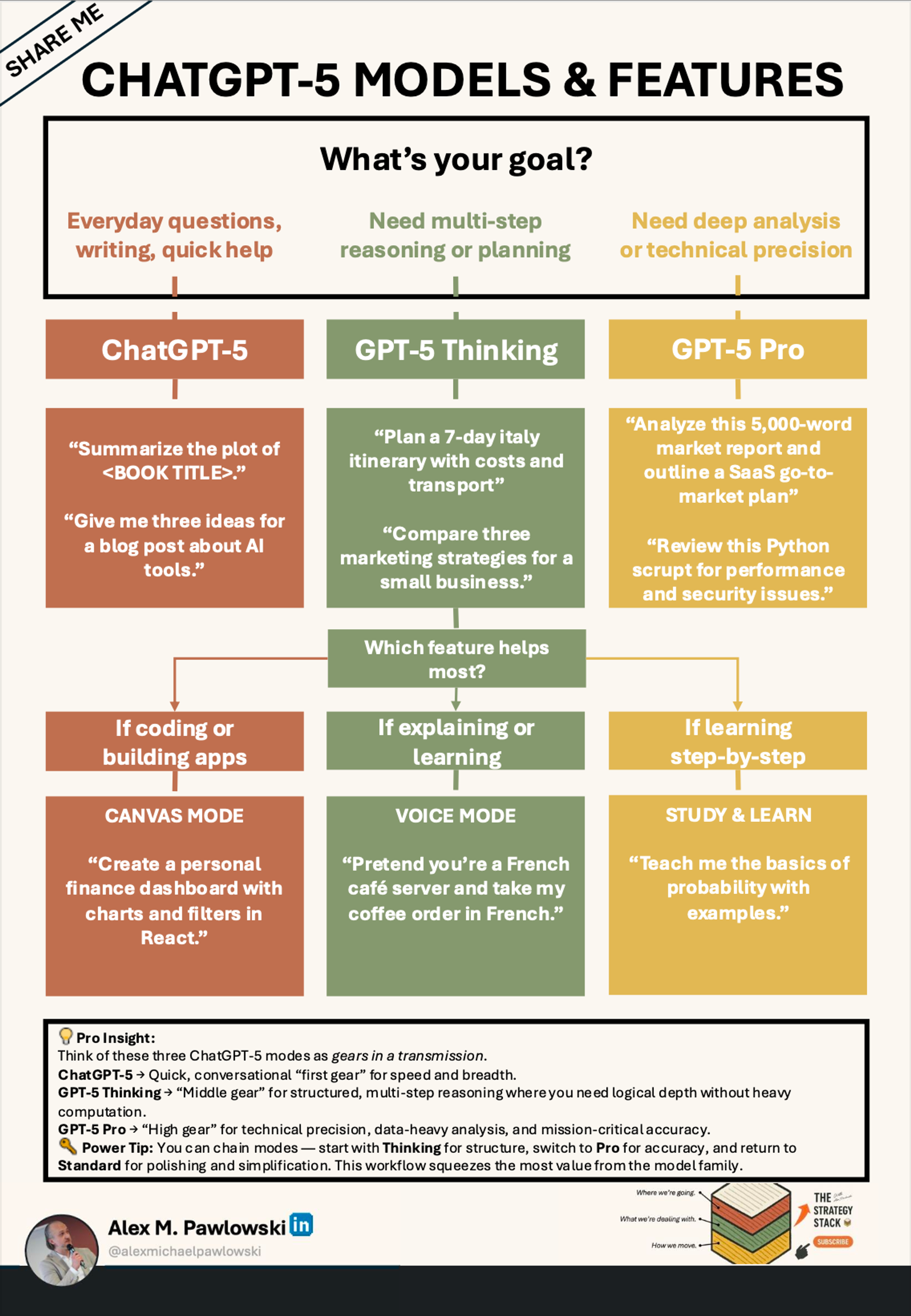

How to Use ChatGPT Effectively: A Practical Guide for Professionals in 2026
Estimated reading time: 12 minutes
Key Takeaways
- Knowing how to use ChatGPT effectively unleashes its full potential across professional workflows.
- Understanding tiered options like Free, Plus, and Enterprise versions guides your investment strategy.
- Crafting clear, precise prompts and refining them iteratively yields the most accurate and relevant AI outputs.
- Integrating ChatGPT with popular tools like Microsoft 365 and Zapier boosts productivity and automation.
- Adapting ChatGPT to industry-specific needs and using tailored prompt templates supercharges efficiency.
Table of contents
- Understanding ChatGPT and Its Versions: Choosing the Right AI Tool
- How to Use ChatGPT Effectively: Step-by-Step Guide to Mastering AI Workflows
- ChatGPT Tips and Tricks for Professionals: Boosting Efficiency and Accuracy
- ChatGPT Prompts for Professionals: Examples and Templates You Can Use Now
- ChatGPT for Business Use: Leading Use Cases and Applications in 2026
- Conclusion: Unlocking ChatGPT’s Full Potential in Your Work
- Additional Resources: Deepen Your ChatGPT Expertise
- Frequently Asked Questions
Understanding ChatGPT and Its Versions: Choosing the Right AI Tool
Before diving into how to use ChatGPT effectively, it’s important to understand its core capabilities and the differences between available versions.
Core Capabilities of ChatGPT
By 2026, ChatGPT offers:
- Advanced reasoning for step-by-step problem-solving and nuanced decision-making.
- Multimodal inputs allowing users to interact via voice commands and image analysis.
- Personalized, context-aware responses that adapt to individual workflows.
- Sector-specific suggestions tailored to industries like marketing, development, finance, and customer service.
- Real-time analytics and error correction, minimizing AI hallucinations and improving reliability.
- Seamless integration with popular business tools like Microsoft 365, Salesforce, Google Drive, and CRM platforms, turning ChatGPT into a virtual consultant and automation hub.
[source]
ChatGPT Plus vs Free Version vs Enterprise
OpenAI offers a tiered access structure to suit diverse users:
Version
Features
Best For
Free Version
Basic chat functionality, limited features, no advanced integrations, delayed peak access.
Simple tasks, casual users, initial experimentation.
ChatGPT Plus
Priority access, faster responses, early new feature access, ability to create custom GPTs.
Individual professionals needing power user capabilities.
Enterprise/Teams
Collaboration tools, group memory, shared projects, no-code custom tools, deep app integrations with Microsoft 365, Salesforce, CRM syncing.
Large organizations requiring teamwork and complex workflows.
Notably, 92% of Fortune 500 companies utilize Enterprise-level ChatGPT versions to streamline collaboration and business processes, showing massive adoption and 8x growth in usage [source].
Choosing Your ChatGPT Version
- Use the free version for simple queries, casual exploration, and basic productivity tasks.
- Upgrade to ChatGPT Plus if you require faster responses, early access to features, or custom GPTs for professional use.
- Opt for Enterprise/Teams if your organization needs collaboration, shared knowledge bases, app integrations, and data syncing to supercharge workflows.
Understanding these tiers enables efficient investment in AI tools aligned with your personal or organizational needs.
How to Use ChatGPT Effectively: Step-by-Step Guide to Mastering AI Workflows
Using ChatGPT effectively requires deliberate strategy, from how prompts are crafted to how AI outputs are refined and integrated.
1. Craft Clear, Precise Prompts
Clarity in what you ask ChatGPT produces powerful results. Start by:
- Defining specific objectives before prompting, such as automating emails, generating SEO content, or analyzing datasets. [source]
- Using explicit, detailed instructions—for example:
“Generate a product description for a smartwatch optimized for Google Shopping using the keyword ‘best smartwatch 2025.’”
[source]
This specificity ensures your requests align perfectly with your end goals, minimizing irrelevant or vague responses.
2. Use Iterative Prompt Refinement
Work with ChatGPT like a collaborator:
- Begin with broad prompts and narrow down based on initial outputs.
- Employ chain-of-thought summaries to help the AI audit its responses and enhance accuracy.
- Utilize context switching and custom GPTs to shift from one task or specialization to another without losing conversation memory or continuity.
This iterative approach boosts output relevance and efficiency by fine-tuning the AI’s understanding step-by-step.
3. Incorporate ChatGPT Into Daily Workflows
Maximize productivity by embedding ChatGPT into tools and apps you already use:
- Connect via ChatGPT Apps for file searching, data syncing, and cross-platform automation.
- Integrate with Microsoft 365 for drafting emails, reports, and documents effortlessly.
- Use Microsoft Teams collaboration features enhanced by ChatGPT for group projects.
- Employ Zapier to create no-code automation workflows linking ChatGPT with other apps like CRM systems or social media platforms.
These integrations save time, reduce manual data entry, and improve workflow flow in content creation, reporting, and communications.
[source]
ChatGPT Tips and Tricks for Professionals: Boosting Efficiency and Accuracy
Time-Saving Shortcuts
- Context switching enables you to handle multi-step research or projects smoothly by toggling between topics without losing track.
- Leverage built-in memory for personalization, so ChatGPT remembers preferences and nuances in ongoing conversations.
- Access unified data via Apps to avoid siloed information, allowing faster access to relevant documents or CRM records.
Customize ChatGPT for Specific Industries
Adapt AI workflows by specialty:
- SEO and Marketing: Focus on keyword research, backlink strategies, and optimized content ideation.
- Software Development: Use ChatGPT to generate code snippets, debug issues, and document code.
- E-commerce: Optimize product listings, generate descriptions, or create customer-facing chatbots.
- Customer Service: Implement 24/7 AI assistants on platforms like WhatsApp and Instagram, including voice-enabled support.
[source]
Avoid Common Pitfalls
- Always set clear, measurable goals; vague requests often yield irrelevant answers.
- Regularly audit ChatGPT responses using chain-of-reasoning methods to validate information.
- Ensure privacy and permission-based personalization to avoid handling sensitive data improperly and maintain answer accuracy.
Applying these tips enhances productivity while maintaining high-quality, secure outputs.
ChatGPT Prompts for Professionals: Examples and Templates You Can Use Now
Creating an effective prompt library streamlines daily work. Here are templates adapted for common tasks across business functions:
Email Drafting: Client Communication and Follow-Ups
- Prompt template:
“Draft a professional email to [recipient] about [topic], including [key points], in a [tone] tone.” - Use cases: Client proposals, meeting follow-ups, internal updates.
Brainstorming (Marketing): Social Media and Content Ideas
- Prompt template:
“Brainstorm 10 SEO-optimized social media post ideas for [product], targeting [audience], using keywords [list].” - Generates engaging Facebook, Instagram, LinkedIn content.
Data Analysis (Finance): Trend Detection and Reporting
- Prompt template:
“Analyze this [data set] for trends in [metric], suggest optimizations, and provide a summary report.” - Useful for expense tracking, sales forecasting, and financial insights.
Content Creation (HR): Job Descriptions and Recruitment Messaging
- Prompt template:
“Create a job description for [role] in [industry], highlighting [skills] and company culture.” - Automates HR postings and talent acquisition content.
Product Descriptions (E-commerce): Optimized Sales Copy
- Prompt template:
“Write an engaging product description for [item], optimized for [platform] with keywords [list].” - Ideal for Shopify, Google Shopping, and marketplaces.
Building and saving your prompt library in shared project files or team drives ensures quick adaptation across departments by swapping variables (product names, target audiences, platforms).
[source]
ChatGPT for Business Use: Leading Use Cases and Applications in 2026
ChatGPT’s business applications are expansive and continue to evolve, streamlining operations, enhancing marketing, and revolutionizing customer experiences.
Top Business Use Cases
- Automating Content Creation: Instant generation of blogs, social media posts, product descriptions, and business reports.
[source] - Improving Customer Support: 24/7 AI chatbots managing social media inquiries and payment platform interactions (e.g., Stripe) with conversational accuracy.
- SEO Optimization: Generating keyword insights, backlink strategies, and tracking analytics to boost search rankings.
[source] - Real-Time Data Analysis: Analyzing operational and financial data for decision support and resource optimization.
- Personalized Marketing: Creating tailored messaging and offers based on customer segmentation.
- Internal Operations Support: Accelerating report drafting, email generation, and document summarization within Microsoft 365 environments.
Real-World Examples
- E-Commerce Brands: Automate thousands of product descriptions and implement product finders powered by ChatGPT for personalized shopping experiences.
- Marketing Teams: Use AI integrations for SEO tracking, social media planning, and competitive analysis.
- Fortune 500 Companies: 92% adoption of ChatGPT Enterprise/Teams for collaboration, workflow automation, and knowledge sharing. Reported productivity increases of up to 19x in AI-supported workflows.
Emerging Trends in 2026
- Rise of chat-first native apps in areas like fitness coaching, personal budget tracking, and real estate discovery.
[source] - Expansion of API and no-code integration platforms making ChatGPT accessible for custom business automations without developer intervention.
[source] - Increasing importance of personalized AI assistants acting as virtual specialists across departments.
Conclusion: Unlocking ChatGPT’s Full Potential in Your Work
Knowing how to use ChatGPT effectively is no longer optional—it’s essential for professionals aiming to boost productivity and innovation in 2026.
Key takeaways:
- Craft precise prompts with clarity and specificity to get actionable, relevant outputs.
[source] - Use iterative refinement and context switching to audit and optimize AI responses continuously.
- Integrate ChatGPT seamlessly with business tools like Microsoft 365, Teams, and no-code automation platforms.
[source] - Leverage industry-specific templates and custom GPTs to align AI capabilities with unique workflows.
[source] - Experiment with free, Plus, and Enterprise versions to find the best fit for your personal or organizational needs.
Starting today, embed ChatGPT in your daily workflow and watch as AI-driven efficiencies and innovations elevate your professional capabilities.
The combination of strategic prompt engineering, workflow integration, and ongoing adaptation will help you harness ChatGPT’s full potential in all aspects of business use.
Additional Resources: Deepen Your ChatGPT Expertise
For continued learning and advanced mastery, explore these resources:
- Official ChatGPT Documentation – Comprehensive guides and updates directly from OpenAI: https://openai.com/blog/chatgpt
- Community Forums and Tip Repositories – Connect with experts and access user-shared tips on platforms like Reddit’s r/ChatGPT and Stack Overflow’s AI sections.
- Tools Marketplaces – Discover custom GPTs and integrations that fit unique workflows: https://www.upwork.com/resources/top-chatgpt-apps
Frequently Asked Questions
What are the differences between ChatGPT Free, Plus, and Enterprise versions?
The Free version provides basic access with limited features, ChatGPT Plus offers priority access and early feature releases for professionals, and Enterprise includes collaborative tools and deep integrations ideal for large organizations.
How can I craft effective prompts for ChatGPT?
Start with clear goals, provide detailed instructions, and use iterative refinement. For example, specify objectives and desired tones, then adjust based on AI feedback.
What are best practices for integrating ChatGPT into workflows?
Connect ChatGPT with apps like Microsoft 365 and Zapier to automate content creation, data analysis, and communication, enhancing efficiency and reducing manual tasks.
Are there industry-specific ChatGPT templates I can use?
Yes, templates tailored for marketing, finance, HR, and e-commerce help standardize common tasks like email drafting, SEO brainstorming, data reporting, and product description writing.
How is ChatGPT evolving in business use in 2026?
ChatGPT is shifting beyond chatbots into virtual consultants embedded in collaborative platforms, leveraging multimodal inputs and no-code automations for personalized, real-time business insights.